
Apple officially released macOS 27 Golden Gate to the public, marking a major milestone in the evolution of the Mac operating system by finally integrating the highly anticipated Siri AI experience across Mac devices. First previewed by Apple executives at the Worldwide Developers Conference (WWDC) in June, the operating system has undergone an extensive developer and public beta testing cycle. While the public rollout introduces few surprises for those who have tracked the beta releases, it delivers a comprehensive suite of upgrades, ranging from foundational artificial intelligence integrations to minor user-interface refinements designed to streamline daily computing tasks.

The Evolution and Background of macOS 27 Golden Gate
The path to macOS 27 Golden Gate reflects Apple’s broader corporate strategy to embed generative artificial intelligence deeply into its entire hardware and software ecosystem. Following initial industry skepticism regarding Apple’s timeline for deploying advanced AI features compared to competitors like Microsoft and Google, the company has systematically rolled out its proprietary intelligence architecture.
During the initial WWDC announcement, software engineering leads emphasized that macOS 27 would serve as a bridge between high-performance local processing and cloud-based computational power. The introduction of Apple’s Private Cloud Compute infrastructure was a cornerstone of this strategy, engineered to process complex AI queries without compromising user data privacy. Throughout the summer beta testing phase, developers provided feedback that allowed Apple to fine-tune system stability, battery optimization, and the responsiveness of cross-application workflows. The arrival of the Golden Gate build signifies the stable, production-ready iteration of the operating system, cleared for deployment on compatible Mac hardware worldwide.

1. The Integration of Siri AI Powered by Google Gemini
The headline addition in macOS 27 Golden Gate is the completely overhauled Siri assistant, enhanced by advanced machine learning models, including integrations with Google Gemini. Moving away from the rigid command-and-response framework of previous generations, the new Siri operates as a fluid, context-aware companion.
Siri now exists as a standalone application interface accessible across Mac, iPad, and iPhone devices, ensuring a unified cross-platform experience. The assistant is deeply integrated into the core user interface, capable of executing complex multi-step commands across native and third-party applications. Furthermore, Apple has introduced extensive voice customization controls. Users are no longer restricted to a single default persona; they can adjust the pitch, tone, pacing, and accent of Siri’s voice to better suit their preferences, utilizing expressive text-to-speech technology that sounds remarkably natural.

2. Advanced Photo Editing Tools and Spatial Reframing
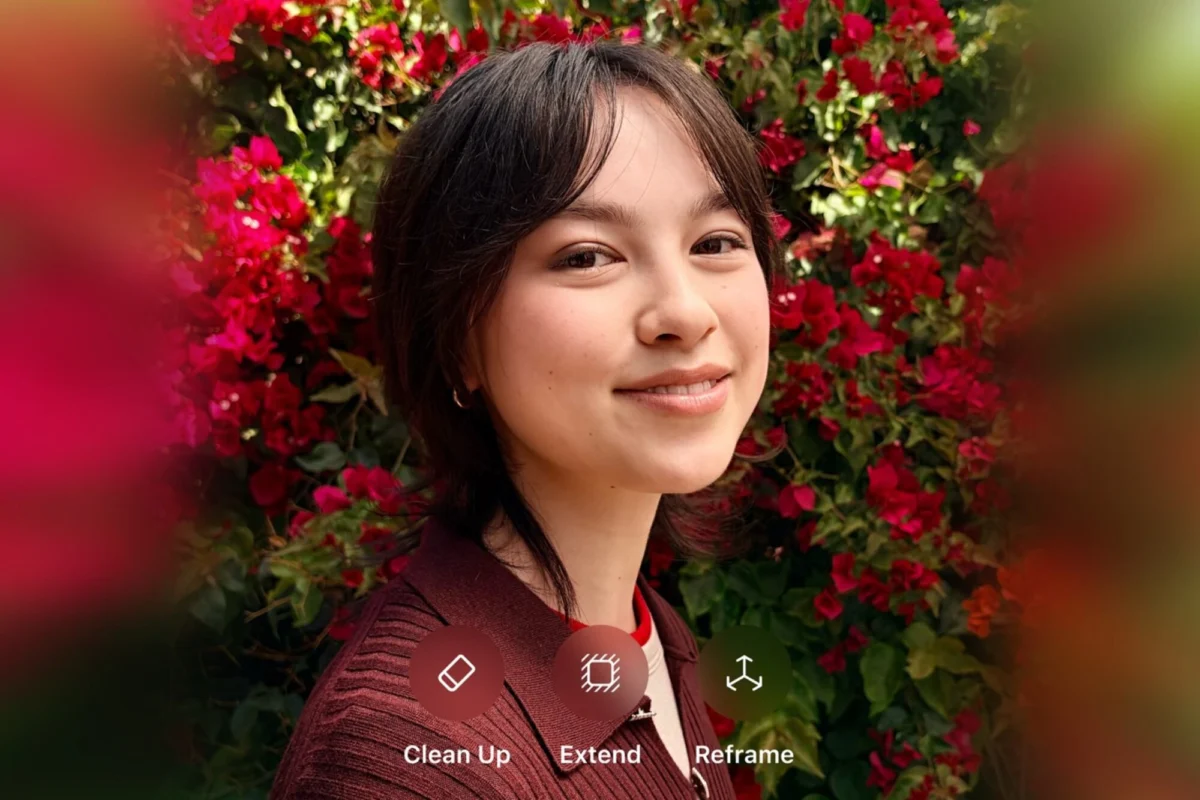
Digital imaging receives a substantial upgrade in macOS 27 through advanced generative photo-editing capabilities within the native Photos app. Among the most notable additions is Spatial Reframing, an AI-driven tool that allows users to dynamically alter the perspective and angle of a photograph after it has been captured.
By analyzing depth data and surrounding context, the system can reconstruct portions of an image that were previously out of frame or obscured. Additional updates to the Photos app include sophisticated object removal, automated background cleanup, and content-aware image extension tools, bringing desktop editing suites closer to professional-grade manipulation standards without requiring third-party software.

3. Enhanced Child Safety and Comprehensive Parental Controls
Recognizing the increasing reliance on personal computers by younger demographics—particularly with the growing adoption of affordable consumer laptops like the MacBook Neo—Apple has overhauled its parental control infrastructure in macOS 27 Golden Gate.
Parents and guardians can now access a centralized "Family" hub within the system settings to establish granular screen-time schedules and monitor digital consumption. The operating system provides comprehensive analytics detailing average daily device usage and a breakdown of the most frequently opened applications. A new feature, titled "Ask to Browse," introduces a real-time notification system. When a minor attempts to access a restricted or unapproved website, the system automatically dispatches a prompt to the parent’s linked device, facilitating immediate review and approval workflows.

4. Grouped Tabs and Workflow Organization in Safari
For power users and digital researchers who frequently manage dozens of open browser tabs simultaneously, Safari in macOS 27 introduces advanced organizational frameworks. Users can now aggregate tabs into distinct, customizable groups tailored to specific projects, such as vacation planning, academic research, or professional tasks. These tab groups sync seamlessly across iCloud-connected devices, ensuring that a workflow initiated on a Mac can be continued without interruption on an iPhone or iPad.
5. Natural Language Automation with "Describe a Shortcut"
Apple’s Shortcuts application has long been recognized as a powerful utility for automating repetitive digital tasks, yet its adoption has historically been limited by a steep learning curve requiring familiarity with programming logic. macOS 27 addresses this barrier to entry with the introduction of the "Describe a Shortcut" feature.

Powered by the underlying Siri AI engine, users can now type or speak a plain-language description of an automated workflow they wish to create—such as "resize all images dropped into this folder and email them to my colleague"—and the operating system automatically generates, configures, and tests the corresponding Shortcut without requiring manual node configuration.
6. Immersive Maps and Visual Intelligence
The native Maps application receives significant enhancements through the integration of aerial imagery and Visual Intelligence models. Apple reports that the Flyover feature now renders architectural fixtures, street layouts, and individual tree structures with exceptional geometric fidelity. By combining high-resolution satellite photography with neural rendering, users can explore urban environments with unprecedented realism, observing detailed structural elements and topographical contours.

7. Foundational System Performance and Liquid Glass Refinements
Beyond user-facing applications, macOS 27 Golden Gate introduces systemic performance optimizations. Apple has implemented architectural changes that accelerate AirDrop file transfer speeds, expedite local file indexing and browsing, and reduce launch latencies for web browsers and native applications.
Additionally, the update refines the "Liquid Glass" visual design language introduced in previous iterations. These adjustments resolve contrast and visibility inconsistencies that occasionally affected user interface elements in macOS 26, resulting in a cleaner, more legible desktop environment.

Future Roadmap and Hardware Compatibility
While the Golden Gate release introduces a robust feature set, Apple has confirmed that additional capabilities will roll out via incremental point updates later in the product cycle. These upcoming additions are expected to expand developer application programming interfaces (APIs) and introduce deeper enterprise security tools.
macOS 27 Golden Gate is compatible with a wide array of recent Mac hardware, primarily focusing on Apple Silicon-equipped machines to ensure adequate Neural Engine performance for the new AI workloads. Older Intel-based Macs have largely been phased out of support for this release.

Concurrently with the software rollout, Apple has made new hardware accessories available for preorder, including updated AirPods and Apple Watch models, alongside flagship iPhone iterations that integrate natively with the updated device ecosystem. Industry analysts note that this synchronized hardware and software deployment underscores Apple’s ongoing strategy to maximize ecosystem lock-in through tightly integrated artificial intelligence services.