
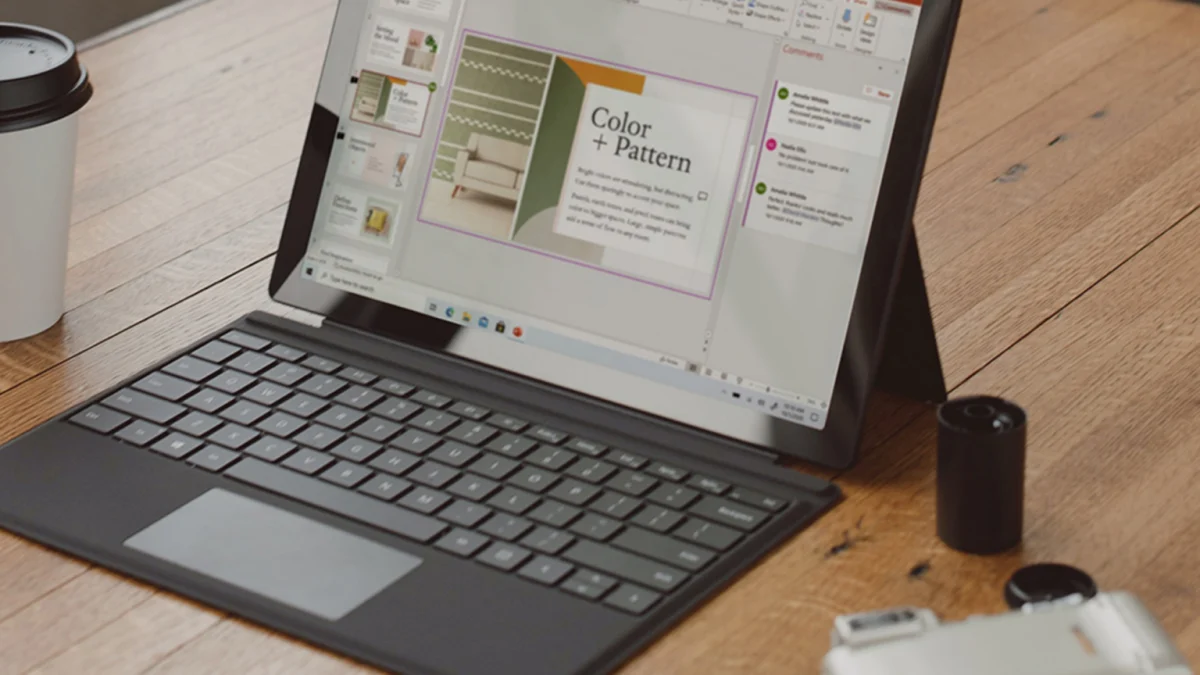
In an era dominated by subscription-based software models and recurring monthly or annual fees, consumers and small business owners are increasingly seeking cost-effective alternatives to equip their workstations. A new promotional offer addresses this demand by providing a lifetime license for Microsoft Office Professional Plus 2019 for a single Windows PC at the heavily discounted price of $16.97. Normally retailing for $229, the software package is available at this price point through September 27. This arrangement bypasses the traditional Microsoft 365 cloud subscription framework, offering users permanent access to a robust suite of productivity applications without the burden of ongoing financial commitments.
The Evolution of Microsoft Office Licensing: From Perpetual to Subscription
To understand the significance of this discounted perpetual license, it is essential to examine the historical shift in how Microsoft distributes its flagship productivity suite. For decades, Microsoft Office was sold primarily as a perpetual-use product. Consumers purchased a physical disk or a digital product key, installed the software on a specific machine, and retained the right to use that version indefinitely. Editions such as Office 2007, Office 2010, Office 2013, and Office 2016 followed this traditional economic model.
However, in the early 2010s, the technology industry underwent a profound structural transformation. Spearheaded by cloud computing and the desire for predictable, recurring revenue streams, major software developers began pivoting toward Software-as-a-Service (SaaS) models. Microsoft officially introduced Office 365—later rebranded as Microsoft 365—in 2011. This service required users to pay an annual or monthly subscription fee in exchange for access to continuously updated versions of Word, Excel, PowerPoint, and other core applications, alongside cloud storage benefits through OneDrive.
Despite the benefits of cloud integration and automatic feature rollouts, the subscription model drew criticism from budget-conscious consumers, students, and independent professionals who preferred a one-time purchase. In response to this market segment, Microsoft continued to release standalone, perpetual versions of the suite tailored for commercial and residential users who do not require continuous cloud synchronization or enterprise-level management tools. Office 2019 represents one of these milestones, bridging the gap between traditional desktop computing and the modern cloud-centric ecosystem.
What is Included in Microsoft Office Professional Plus 2019?
The Office Professional Plus 2019 bundle is designed to cater to power users, small business environments, and individuals requiring a comprehensive toolset for document creation, data analysis, presentations, and digital communication. Unlike the basic Home and Student editions, the Professional Plus tier includes a more extensive array of applications.
The software suite features seven core programs:
- Microsoft Word: The industry-standard word processor utilized for drafting reports, resumes, letters, and academic papers, equipped with advanced formatting, reviewing, and publishing tools.
- Microsoft Excel: A powerful spreadsheet application utilized for complex data analysis, financial modeling, budgeting, and automated reporting through Visual Basic for Applications (VBA) and advanced charting functions.
- Microsoft PowerPoint: A presentation program enabling users to design dynamic slideshows incorporating multimedia, transitions, and professional design templates for corporate meetings and educational lectures.
- Microsoft Outlook: An enterprise-grade email client that integrates calendar management, contact organization, task tracking, and email security features.
- Microsoft Access: A database management system that allows users to store, query, and analyze large volumes of structured data, particularly useful for small-to-medium-sized businesses managing inventory or customer relationships.
- Microsoft Publisher: A desktop publishing application focused on page layout and design, enabling the creation of marketing materials such as brochures, flyers, newsletters, and greeting cards.
- OneNote: A digital notebook application that aggregates notes, sketches, clippings, and audio commentaries into a searchable, cross-platform workspace.
By securing a lifetime license for these applications at $16.97, users obtain a complete offline-capable productivity suite without the financial exposure of a continuous subscription.
Chronology and Availability of the Promotional Offer
The current promotional campaign, hosted through distribution channels like StackSocial, highlights the dynamic nature of digital software pricing. The offer went live earlier this month and is scheduled to conclude on September 27.
During this promotional window, verified buyers receive a digital product key along with official installation instructions directly tied to a single Windows PC. Because Office 2019 is a localized installation rather than a cloud-tethered service, the software does not expire upon the conclusion of the promotional period. Once installed and activated, the license remains valid for the lifespan of the host computer.
Industry analysts note that such steep discounts on older-generation software suites are common as Microsoft advances its product roadmap. With the release of Office 2021 and subsequent versions, older iterations like Office 2019 occupy a transitional space in the marketplace. While they no longer receive major feature updates, they continue to receive critical security patches and stability updates in accordance with Microsoft’s fixed lifecycle policy.
Technical Specifications and System Requirements
Before purchasing a perpetual license for Microsoft Office Professional Plus 2019, IT professionals and individual consumers must verify that their hardware and operating system environments meet the necessary technical criteria.
Compatibility parameters for Office 2019 include:
- Operating System: Office 2019 requires Windows 10, Windows 11, or Windows Server 2019. It is not officially supported on older operating systems such as Windows 7 or Windows 8.1, nor is it natively compatible with macOS (which requires the Mac-specific Home & Business or Microsoft 365 equivalents).
- Processor: A 1 GHz or faster x86- or x64-bit processor with SSE2 instruction set support.
- Memory: A minimum of 2 GB of RAM (4 GB recommended for optimal performance with heavy Excel spreadsheets or Access databases).
- Hard Disk Space: At least 4 GB of available disk space on the installation drive.
- Display: A graphics hardware acceleration card requires a DirectX 9 or later graphics device with WDDM 2.0 or higher for Windows 10. A screen resolution of 1280 x 768 or higher is recommended.
Ensuring compliance with these specifications prevents activation errors and performance bottlenecks during daily operation.
Market Implications: Perpetual Licenses vs. Microsoft 365
The availability of discounted Office 2019 licenses underscores an ongoing debate within the software industry regarding consumer choice, software ownership, and long-term costs.
The subscription model championed by Microsoft 365 offers undeniable advantages for collaborative workflows and multi-device households. Subscribers receive access to the absolute latest features, cloud storage via OneDrive, technical support, and the ability to install applications across multiple Windows PCs, Macs, tablets, and smartphones. For enterprises and collaborative teams, real-time co-authoring in Word and Excel is an indispensable asset.
However, for a significant portion of the consumer base—including retirees, freelancers, students, and offline workers—these advanced collaborative features are superfluous. Many users require a stable, local text editor and spreadsheet calculator that functions reliably without an active internet connection or a recurring monthly fee. For these individuals, purchasing a perpetual license at a fraction of its original manufacturer’s suggested retail price (MSRP) represents a pragmatic financial decision.
From an economic perspective, paying $16.97 once for a software package that can remain operational for five to seven years contrasts sharply with the ongoing costs of subscription tiers, which typically range from $70 to $100 annually for personal use. Over the course of a multi-year hardware lifecycle, the cumulative savings of a perpetual license are substantial.
Security and Support Lifecycle Considerations
When acquiring older software versions through third-party digital marketplaces, users must remain cognizant of Microsoft’s software lifecycle policies. Microsoft provides mainstream support for Office 2019 for a set duration, typically five years from its initial release date in late 2018.
According to Microsoft’s support lifecycle guidelines, Office 2019 reached the end of its mainstream support phase on October 10, 2023. During mainstream support, Microsoft provides security updates, bug fixes, and time-zone updates. Following the end of mainstream support, the software enters an extended support phase or reaches the end of life entirely, meaning no further security updates or bug fixes will be officially issued by the developer.
Despite this status, millions of enterprise and consumer users continue to run Office 2019 and older perpetual editions securely, provided their host operating systems are up to date and protected by robust endpoint security solutions. Buyers should weigh the lack of future feature updates against the immediate financial savings and the lack of subscription dependency.
Conclusion: Evaluating the Value Proposition
The limited-time availability of Microsoft Office Professional Plus 2019 for $16.97 through September 27 provides a viable alternative for users seeking traditional desktop productivity tools without recurring overhead. By delivering seven foundational applications under a single lifetime license for one Windows PC, the offer addresses the needs of cost-conscious consumers navigating an increasingly subscription-dominated software market. As digital marketplaces continue to facilitate these transactions, buyers are advised to review system compatibility, understand the support lifecycle parameters, and complete purchases through reputable distribution channels before the promotional window closes.